
Every judgment in one place
Checking what a court actually held in a decision the other side cites means knowing several databases and a different search field in each one. In DirectCase every published judgment sits in one place, so it is a single step, open to anyone with a free account.
The other side's submission arrives on Friday afternoon and its argument rests on five case numbers. Before you reply, you want to see the originals. The trouble is that the Supreme Court keeps its own database, the Court of Appeal a second one, the High Court a third, and the decisions of the lower courts sit somewhere else again.
In DirectCase you find all of them in one field. You enter the case number and get back that decision with its original text, whichever court handed it down.
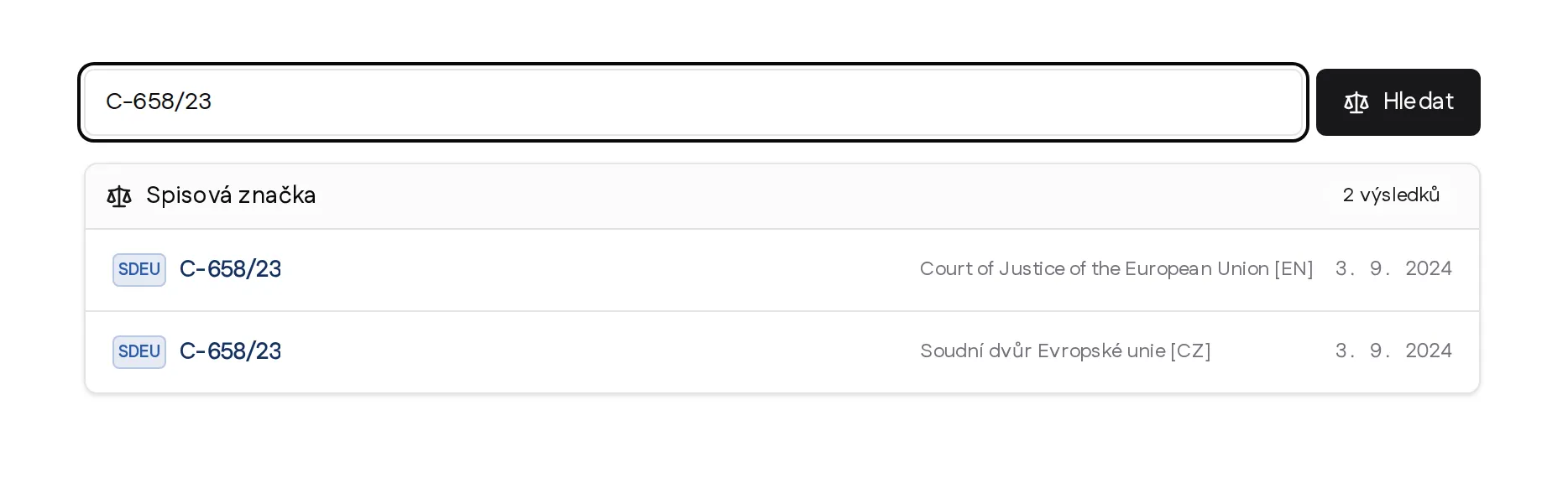
Search by case number. The reference C-658/23 returns a decision of the Court of Justice of the European Union in two language versions. The screenshot comes from the English interface. DirectCase speaks several languages and searches across several jurisdictions, so a domestic and a European reference end up in the same field.
DirectCase lets you search free of charge by case number for any published decision of the courts we cover, from the lower courts, the case law that is otherwise hardest to track down, up to the Court of Justice of the European Union. Which courts and sources we currently cover is set out in the overview of sources.
You also see how individual judgments build on one another. Where the case law has shifted, the analytical view shows it at a glance, together with the decision that started the new line. Colour coded citations show straight away whether later courts followed an earlier decision or departed from it. An ordinary database hands you the text, not its place among the other documents.
If you have the DirectCase legal sources connected to Claude, you do not need to open the application at all. You paste all five case numbers into the conversation together with the passage from the submission and let Claude pull the originals.
Claude fetches the text of every decision and compares what the court actually held with what the other side says it held. Any gap between the citation and the ruling shows up before you start drafting your reply. Try this prompt in Claude:
Below I am pasting a passage from the other side's submission. Find every case number in it and for each one do the following:
- Find the decision in DirectCase and download its original text.
- Summarise in two sentences what the court actually held.
- Compare that with what the other side says the decision held.
- Mark the points where the two diverge, and where the other side relies on a sentence taken out of context.
[paste the passage from the submission here]
For a single case number one sentence is enough. Claude works out which case you mean, downloads the document and adds a link to the full text.
How to connect the DirectCase legal sources to Claude is explained on the page about connecting sources.
We want legal professionals to work with technology as comfortably as possible. That is how we build the whole product and that is how we decided here as well.
Searching by case number does not consume AI capacity. The document sits in the database under its number, so the system only finds it and returns it. It reads nothing and assesses nothing along the way. We have no reason to charge for that, so we released it completely free, within the limits of ordinary use.
Returning a document whose number you already know is not what DirectCase rests on. Our work starts where you do not yet know which decision you are looking for: picking out of the case law what genuinely bears on your matter, ordering it and presenting it in a context you can work with straight away, without needless chasing. That is where our capacity goes and that is where the paid plan makes sense. One thing the case number search will not do: it will not judge for you whether the other side's citation is apposite. That stays with the lawyer, and we leave it that way on purpose.
We will make checking case numbers easier and faster for you. Just create an account and it is there.